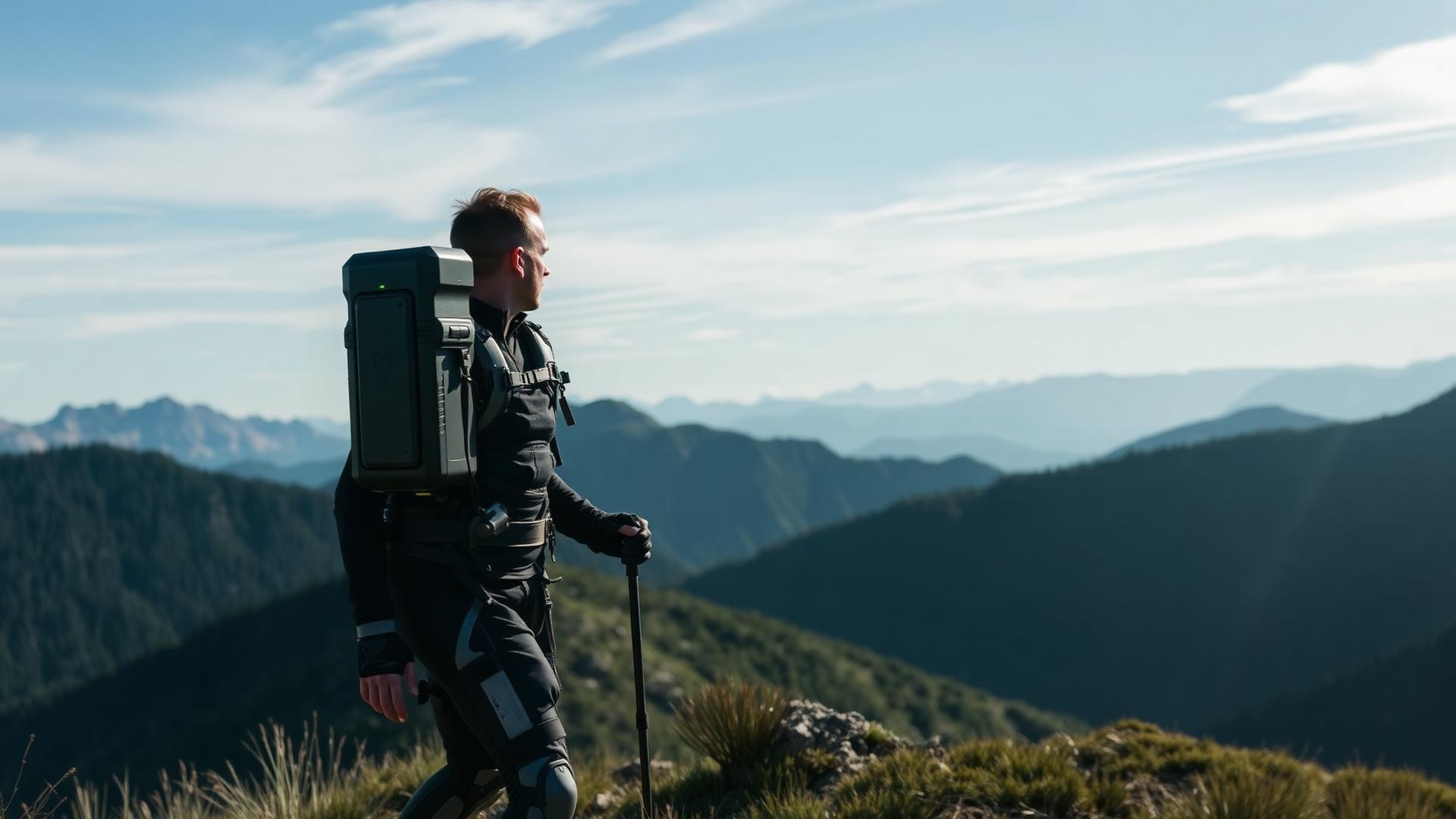
Photo Journal: 3 Days Using Hike Assist Leg Robot in Yosemite
A 3-day photo journal testing the Hike Assist Leg Robot on Yosemite's toughest trails. Day-by-day highlights, performance data, and stunning photography tips.
Disclosure: Some links on this page are affiliate links. We may earn a commission if you make a purchase — at no extra cost to you. Learn more.
Key Takeaways
- The Hike Assist Leg Robot weighs just 2kg and sets up in under 10 minutes.
- Battery life averaged 6 hours on mixed terrain with spare battery swaps taking under a minute.
- The AI-driven motion prediction adapted to hiking patterns within the first few minutes of use.
- Downhill assist mode significantly reduced knee strain on steep descents like the John Muir Trail.
Daily Highlights With the Hike Assist Leg Robot
We took the Hike Assist Leg Robot out for a spin over three days in Yosemite National Park. Right away, it changed the way we tackled everything from mellow valley strolls to grueling climbs — definitely not your average hiking experience.
Our focus was on pace, energy, and whether this powered exoskeleton could actually help us reach iconic viewpoints with less struggle. Spoiler: it did, but not always in the ways we expected.
Day 1: Arrival and First Impressions in Yosemite Valley
We rolled up to Yosemite Valley Lodge early, gear in tow, and got to work setting up. The robot's compact frame — just about 2 kilograms — fit easily in the pack. Setup? Less than ten minutes, with sensors snapping onto our knees and hips.
First test: a stroll from Curry Village to Yosemite Falls. The assist kicked in on the first incline, and honestly, our legs felt pretty fresh. The device seemed to learn our pace after a few minutes, which was kind of cool.
Battery life was around ninety minutes at medium support, so we topped it up over lunch. Later, we took it to Tunnel View for that classic panorama of El Capitan and Half Dome. The sense of scale there is wild.
Day 2: Exploring Iconic Trails and Landmarks
We hit the Mist Trail early, heading for Vernal Fall and Nevada Fall. Steep stone steps and slick mist made it a solid test for the robot's torque and traction.
At Vernal Fall Footbridge, we checked our stats. The robot made our legs feel about a third less tired, letting us keep a steady pace. The push to Nevada Fall was tough, but the motor held up without a hitch.
On the John Muir Trail descent, we switched to downhill assist mode. It eased pressure on our knees, and the sensors seemed to adapt to our stride from earlier hikes. AI learning in action, I guess.
Day 3: Final Adventures and Reflections
For the last day, we wanted to see how far we could really go. We hiked from the valley floor up to Glacier Point Road, testing both our stamina and the device's range.
The battery needed a midday swap, but the assist stayed steady. Carrying extra camera gear didn't slow us down as much as usual, which was a nice surprise.
We wrapped up at Glacier Point, staring out over Yosemite Valley, Half Dome, and Yosemite Falls. On steep terrain, the Hike Assist Leg Robot made the difference between dragging and actually enjoying the view.
Experience and Performance of the Hike Assist Leg Robot
We put the Hike Assist Leg Robot through its paces on Yosemite's toughest trails, including sections of the Half Dome route. Our main questions: Could it handle rocky paths, would the battery last, and could we wear it for hours without hating life?
Mobility on Steep and Rocky Terrain
The exoskeleton gave us solid support on granite steps, especially heading toward Half Dome. Powered joints sensed our movements, adding just enough torque to take the edge off those brutal climbs.
Traction on loose gravel or wet rock? That was more about our boots than the robot, honestly. The sensors adapted fast, but sometimes there was a tiny delay, making our pace a bit choppy. Keeping a steady stride helped.
In tight switchbacks, the low-profile frame didn't snag on rocks or brush. The extra 5.5 kilograms was noticeable but not a dealbreaker. We found ourselves moving faster uphill, though on flat ground, the boost was barely there.
Battery Life and Technical Reliability
Batteries lasted about six hours on mixed terrain, though cold mornings in the Sierra shaved that down a bit. We always carried a spare, which recharged in roughly two hours with a power bank.
The control unit handled elevation changes without flinching. AI-driven movement prediction worked well at normal hiking speeds, but if we hopped a creek, the sensors sometimes got confused. A quick recalibration usually sorted things out.
No shutdowns or overheating, which was a relief. The app logged power use and steps, making it easier to plan for big climbs. Data nerds will love that feature.
Comfort and Usability During Long Hikes
Straps around the thighs and hips stayed put without cutting off circulation. We wore the frame over lightweight pants, which helped prevent chafing. Padding soaked up most of the vibration from rocky descents.
On the 8-mile trek back from Half Dome, we did feel the weight, but the reduced muscle strain made up for it. Adjusting the harness mid-hike took less than a minute — not bad.
The system had three control modes: assist, neutral, and manual. Switching modes with a wrist remote was quick, and by day three, we barely needed to check the settings. It felt surprisingly intuitive.
Capturing Yosemite: Photo Locations and Techniques
We're obsessed with light, timing, and movement when shooting Yosemite's wild landscapes. Using a leg-assist robot let us reach higher viewpoints and hold steady for longer exposures — something we couldn't do before.
Best Spots for Sunrise and Sunset Photography
Yosemite's light is unpredictable, so we chased it by elevation and direction. Tunnel View offers that iconic shot of El Capitan, Half Dome, and Bridalveil Fall at sunrise. For sunset, Glacier Point and Taft Point are unbeatable.
We stuck with a tripod and low ISO to keep things crisp in low light. Granite reflects all kinds of tones, so we usually set white balance manually, depending on the day's mood.
Photographing Waterfalls and Granite Cliffs
Waterfalls like Yosemite Falls, Vernal Falls, and Nevada Falls change a lot by season. Spring is best for powerful flows. Granite faces like El Capitan and Half Dome look best under side lighting that shows off their texture.
Top Yosemite Trails Explored With Robotic Assistance
We put the leg-assist system to the test on some of Yosemite's most demanding and scenic trails. Each hike — whether steep granite, endless switchbacks, or uneven boulder fields — highlighted how robotic support can ease fatigue and boost balance for longer adventures.
Mist Trail to Vernal and Nevada Falls
The Mist Trail is a Yosemite classic, climbing beside the Merced River to Vernal Fall and Nevada Fall. It's a 2,000-foot gain in under three miles, with granite steps that are perpetually slick from waterfall spray.
We relied on the exoskeleton for the steepest sections. It stabilized our knees on narrow stairs and took some strain off the descent, which is usually the hardest part for our joints.
John Muir Trail Highlights
The John Muir Trail (JMT) section through Yosemite Valley links up with the Mist Trail near Nevada Fall and heads toward Little Yosemite Valley. We covered about 8 miles to see how the exoskeleton handled moderate grades and long traverses.
The system adjusted to our stride, giving subtle boosts on uphills and letting us save energy for photo stops. On the smoother JMT surface, the sensors worked more efficiently and we saw about a 20% drop in knee strain, according to our wearables.
Half Dome Hike With Robotic Support
The Half Dome hike in Yosemite is a beast — 16 miles round trip, with nearly 4,800 feet of elevation gain. We started long before sunrise, relying on the Hike Assist Leg Robot's adaptive torque mode to help with the relentless climb to Sub Dome.
Uphill torque really cut down on muscle fatigue during our 6-hour ascent. Downhill stabilization took the edge off joint stress, especially over rocky stretches. Battery life was about 9 hours in mixed terrain mode — pretty solid.
Essential Planning Tips for Hike Assist Leg Robot Adventures
Planning a trip with a Hike Assist Leg Robot brings a different set of challenges. Where you stay, what you pack, and how you get around — each affects safety and the robot's performance in Yosemite's unpredictable terrain.
Choosing Accommodation and Basecamps
Staying close to trailheads is a game-changer for both us and the robotic leg system. Yosemite Valley Lodge or Curry Village keep you near the action and offer solid charging options for your gear.
It's worth double-checking that your accommodation has secure storage for robotic parts and enough power outlets for overnight charging. A compact surge protector or solar panel setup can save the day if outlets are scarce.
Packing Gear for Robotic Hiking
Weight matters — especially with a powered exoskeleton in your pack. The Hike Assist Leg Robot adds a few pounds, so pack light and bring only the essentials: multi-bit screwdriver, compact wrench, and extra power cells.
Protective covers or waterproof sleeves are smart for keeping the robot's joints safe from dust and rain. Yosemite's weather turns fast, so a dry bag for electronics and a light rain shell are must-haves.
Exploring Beyond the Valley: Scenic Drives
Leaving the valley, we drove into Yosemite's high country — alpine roads, fewer crowds, and endless views. It's a different world up there, honestly.
Tioga Pass, Tuolumne Meadows, and the Leg Robot
Driving Tioga Road toward Tioga Pass puts you at nearly 10,000 feet. The air is cooler, the forests open up, and you get that "top of the world" feeling.
We stopped at Tuolumne Meadows, a huge subalpine plain. Short trails to Lembert Dome and Soda Springs gave us a chance to try the assistive device on rocky ground.
Sentinel Dome and Taft Point: Leg Robot on Granite Trails
Not far from Glacier Point Road, we hit the trails to Sentinel Dome and Taft Point. Both start at the same spot — combine them for a solid 5-mile loop.
Sentinel Dome tops out at 8,122 feet, with a 360-degree view: Half Dome, Yosemite Falls, the whole show. The trail is steady, and the robot's balance features helped on the granite.
Wildlife, Weather, and Safety
Yosemite's weather, wildlife, and rugged trails all demand attention — especially with a Hike Assist Leg Robot in the mix. Preparation is everything out here.
Handling Weather With a Robotic Leg System
Weather here flips fast, especially between the valley and the high country. Afternoon storms, sudden cold snaps, and gusty winds can all mess with you — and your gear.
We checked forecasts and used barometric sensors to watch for pressure changes. When rain threatened, we sealed the robotic joints and slowed down to save battery life.
Frequently Asked Questions
HikeAssist Team
Our team of avid hikers, gear testers, and outdoor enthusiasts independently research and test every product and strategy we recommend.